Security

The guys at Offensive Security, the same group behind the ormai famous BackTrack OS have announced the release of Kali Linux, a new distribution for penetration testing and security . So why build another penetration tool? Kali targets primarily enterprise security, offering a wider range of testing tools that include Metasploit, Wireshark, John the Ripper, Nmap and Aircrack-ng. More»
Posted in Linux Distros, Open-Source, Security | Comments Off on Kali Linux offers new brand of Security Auditing Tools
Ubuntu 9.10 was the last version to have Java Runtime Environment in its repositories. Since then all other versions come with the community-built OpenJDK that has little or nothing to envy the previous, Oracle’s JRE.
If you installed a recent version of Ubuntu from scratch you certainly don’t have Java Runtime Environment running in the background. Maybe you don’t really need it at all. As usual, there’s yet another security hole to patch. If you desperately need it then this is how you can quickly install it on Ubuntu 12.04, 12.10, 13.04 – via the PPA. More»
Posted in Firefox, Security, Ubuntu | Comments Off on How to Install Java Runtime Environment JRE7 In Ubuntu
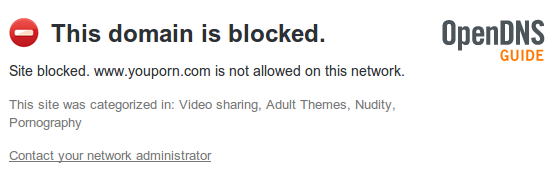
OpenDNS has launched an easy to setup service called FamilyShield that allows parents, administrators, users to filter web content and keep their computers free from adult web sites. This free service that needs no account to configure, no downloads or software to install works much like how OpenDNS Basic does. More»
Posted in Open-Source, Security, Ubuntu, Windows | 2 Comments »
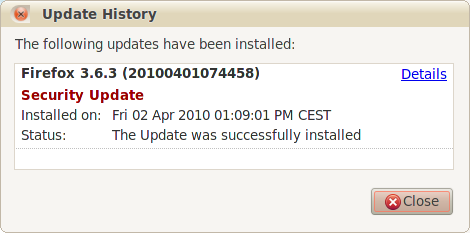
Mozilla has released a Firefox update that patches a security vulnerability in Firefox 3.6.2 web browser. This vulnerability was discovered and exploited during the Pwn2Own competition that challenges hackers to break the latest versions of the most popular web browsers – Firefox and Internet Explorer 8 on Windows 7, and Safari on Mac OS X, were hacked. More»
Posted in Firefox, Open-Source, Security, Ubuntu, Windows | 1 Comment »
Users of Ubuntu 8.10 alias Intrepid Ibex its now time to move ahead, the support period of Ubuntu 8.10 released on October 30, 2008 is now nearing its end and Intrepid Ibex will reach end of life on Frclassay, April 30, 2010 – At that time Canonical will no longer provide this operating system with security updates, critical fixes and software updates. As from April 30, 2010 using Ubuntu 8.10 will be at your own risk. More»
Posted in Open-Source, Security, Ubuntu | 1 Comment »