


Chromium Linux now Installs User Scripts as Extensions
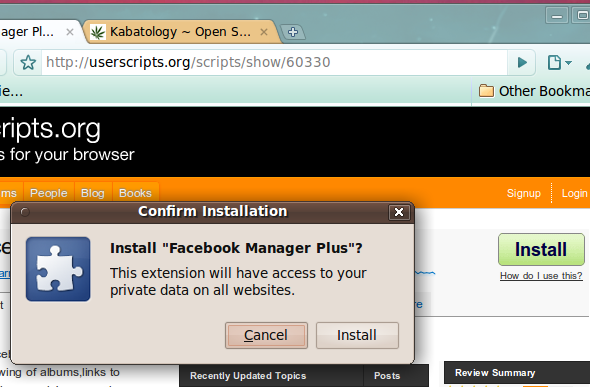
Recently released Chromium nightly 4.0.239.0 (Ubuntu build 31231) now converts and installs Greasemonkey user scripts as an extension, just like its Windows sibling that got this new feature 2 days ago.
So to install a user script from UserScript.org in Chromium Linux build just click on the install button of the script, hit “Continue” and wait for the “Confirm Installation” window to pop-up. Getting the users scripts up doesn’t mean they’ll run, so don’t get excited. Try those scripts you know well and often use in Firefox and compare their performance with Chromium Linux builds – if you mind let us know the outcome.
12:10 am on November 7th, 2009
Chromium #Linux now Installs Greasemonkey User Scripts as Extensions http://bit.ly/2Unhh7
3:43 pm on November 26th, 2009
Reading: "Chromium Linux now Installs User Scripts as Extensions" http://bit.ly/2Unhh7
8:15 am on October 15th, 2010
Thanks for sharing this. The other guys adviced to run Chrome with -enable-user-scripts and -user-data-dir and anyway, nothing worked. Now you just have to click “Install” Nice! =)